
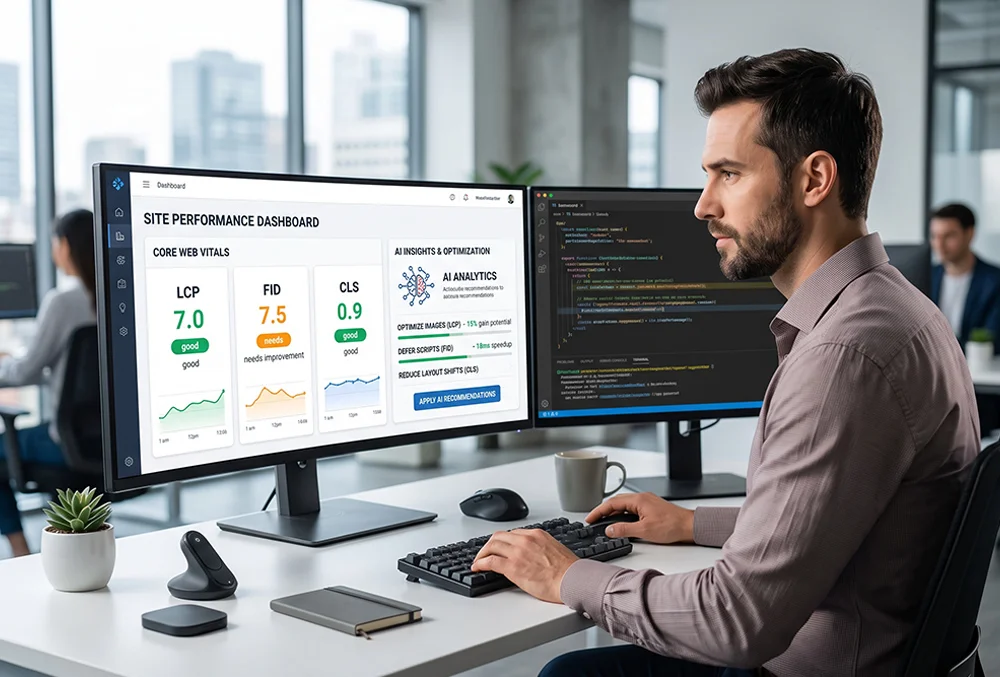
AI-Driven Optimization for Core Web Vitals
Optimizing site performance and Core Web Vitals using artificial intelligence analytics transforms technical speed optimization from guesswork into precision science. By leveraging intelligent monitoring scripts and predictive performance models, web developers and SEO specialists can instantly diagnose rendering bottlenecks, eliminate layout shifts, and boost search engine rankings across client websites.
In this comprehensive guide, you will discover the core mechanisms driving AI performance optimization and how to implement them effectively.
- Understanding Core Web Vitals Metrics and AI Performance Analytics
- Step-by-Step Workflow: Auditing and Optimizing Website Speed
- The Practical Impact on User Experience and Search Rankings
- Frequently Asked Questions
Understanding Core Web Vitals Metrics and AI Performance Analytics
Artificial intelligence enhances performance optimization by continuously analyzing real-user interaction data and server response metrics across Largest Contentful Paint (LCP), Interaction to Next Paint (INP), and Cumulative Layout Shift (CLS). Unlike static speed tests that provide a single snapshot, AI analytics engines identify intermittent rendering delays, heavy script executions, and resource bottlenecks under live traffic loads.
- LCP Acceleration & Asset Prioritization: Automatically identify and preload critical hero images, fonts, and above-the-fold stylesheets to minimize render times.
- INP & Main Thread Optimization: Detect heavy JavaScript task executions and long event loops that cause input delay, suggesting asynchronous code splitting.
- CLS Layout Stability Enforcement: Pinpoint unreserved media dimensions and dynamic ad injections that trigger unexpected visual shifts during page loading.
Step-by-Step Workflow: Auditing and Optimizing Website Speed
Executing an automated site performance audit and optimization pipeline requires a disciplined, step-by-step engineering framework to ensure stable Core Web Vitals passing scores.
- Comprehensive Performance Audit: Run an automated diagnostic speed crawl using performance APIs and AI analytics tools to catalog LCP, INP, and CLS failures across your site architecture.
- Resource & Database Cleanup: Purge bloated transients, optimize database tables, and defer non-essential JavaScript and CSS assets to streamline the main execution thread.
- Image & Asset Modernization: Convert raster graphics to WebP formats, implement native lazy loading, and configure edge-cached content delivery networks (CDNs).
- Continuous Monitoring & Validation: Schedule recurring AI performance scans to ensure that subsequent plugin updates or content additions do not degrade site speed metrics.
The Practical Impact on User Experience and Search Rankings
For professional web developers and digital agencies managing client portfolios, maintaining pristine Core Web Vitals is essential for both user retention and organic search visibility. By deploying AI analytics to automate speed audits and bottleneck remediation, teams can secure top-tier search engine rankings and lower bounce rates effortlessly.
- Boosted Organic Search Rankings: Meet Google’s strict page experience signals to achieve sustained improvements in organic search visibility and click-through rates.
- Enhanced Visitor Retention: Eliminate frustrating load delays and layout shifts to drive higher conversion rates across e-commerce and lead generation funnels.
- Read our guide on the role of AI in automating SEO audits and meta tag generation.
- Explore how AI-powered code generation helps write clean PHP, JavaScript, and CSS faster.
Frequently Asked Questions
How do AI analytics tools improve Largest Contentful Paint (LCP)?
AI analytics tools evaluate page rendering trees to pinpoint the exact LCP element—such as a hero image or header text block—and automatically prioritize its loading sequence via preloading directives and optimized server responses.
What is Interaction to Next Paint (INP) and how does AI optimize it?
INP measures how responsive a page is to user interactions. AI performance tools analyze main thread activity to identify blocking JavaScript tasks, recommending code splitting and asynchronous execution to speed up browser response times.
Can automated tools permanently fix Cumulative Layout Shift (CLS)?
While automated tools cannot predict every dynamic layout change, AI scanners detect missing image dimensions, unassigned container heights, and asynchronous font loads, generating precise CSS rules to lock element layouts in place.